Why Brokers Struggle With ADP Workforce Now Benefits
ADP Workforce Now was licensed to your client, not to you. Here's why that quietly breaks a benefits agency's operating model — and how to run your whole book on a layer above it.
Last updated
Here's the thing brokers run into first: ADP Workforce Now is licensed to the employer, not to you. That one fact is behind almost every headache an agency feels when its clients run ADP — separate logins for every client, no single view of your book, no white-label, and little say over how benefits are configured. None of it is a defect. It's just why agencies run benefits on a layer above ADP.
The short version
- ADP Workforce Now is licensed to the employer, not the broker — so you get per-client logins, never a book-of-business view.
- No multi-employer console, no white-label, and limited control over how each client's benefits are configured.
- Every one of those limits multiplies across your whole book of business.
- The fix: run benefits administration on one multi-employer layer above ADP — your brand, your console, and no client ever leaves ADP.
ADP Is Licensed to the Employer, Not to You
Start with the root cause, because everything else flows from it. Each employer contracts and licenses ADP Workforce Now individually, so your relationship to it is always routed through the client. If your agency manages benefits for forty groups and a dozen run ADP, you don't have one ADP relationship — you have a dozen, each with its own login, its own permissions handed to you at the client's discretion, and its own service contact. There's no broker-tier license that pulls them together.
What that structure does to your operating model
That structure shapes everything downstream. You can't provision your own access, can't standardize configuration across clients, and can't promise a consistent service experience, because every employer's ADP instance was set up on its own terms. For an agency whose whole pitch is operational consistency across a book of business, an employer-by-employer system of record quietly works against you. Your team ends up coordinating across a dozen disconnected instances instead of running one platform — which is exactly the gap a multi-employer benefits layer is built to close.
No Single View of Your Book
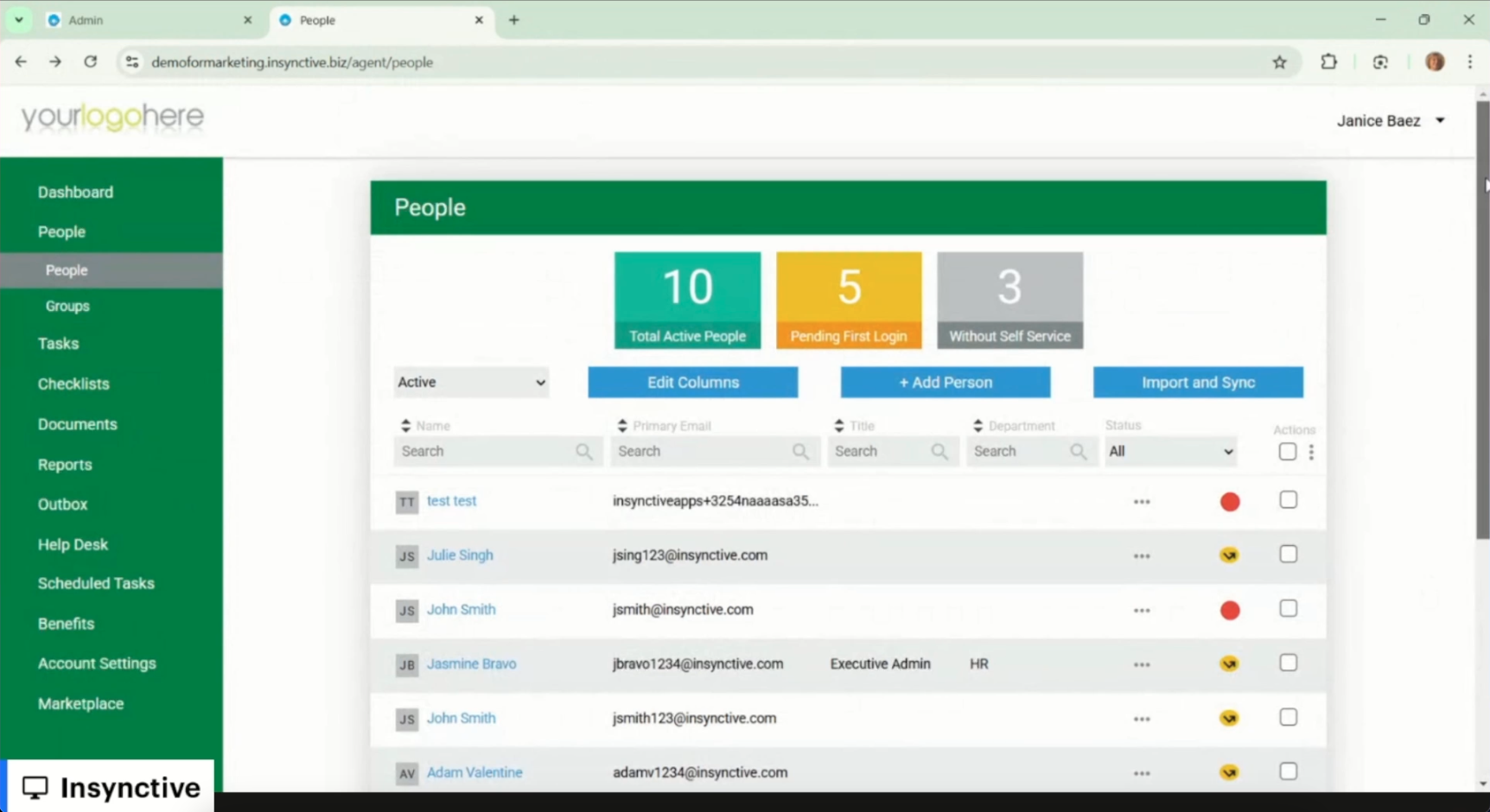
The biggest day-to-day drag is the one you feel every morning: there's no single view of your book. You can't open ADP Workforce Now and see enrollment status, open-enrollment progress, carrier-feed health, and compliance deadlines across every client at once, because each client is a separate instance you log into one at a time. Account management turns into a sequence of logins instead of a dashboard.
What it costs you: account-manager time
And the thing it costs you is the resource you can least afford to waste — account-manager time. Instead of triaging the whole book from one screen (who's behind on enrollment, who has a COBRA notice due, whose carrier feed is failing), your team checks clients one by one, running on memory and spreadsheets. Problems surface late because nothing pulls them together. A multi-employer platform flips that: you work from one console with each client as a tenant underneath, so the whole book is visible at a glance and the exceptions come to you instead of hiding. That's the operational heart of benefits administration for brokers.
The Portal Wears ADP's Brand, Not Yours
Now the strategic one. ADP Workforce Now wears ADP's branding, not yours — and that matters more than it looks at first. Agencies increasingly win and keep mid-market clients on the strength of their technology: a branded enrollment portal and a platform experience that feels like yours are a big part of how a modern broker justifies its value and dodges commoditization. When the client's benefits experience is branded ADP top to bottom, your technology contribution is invisible.
Why this is strategic, not cosmetic
So this isn't a cosmetic gripe. If you're building a defensible book, you want the employer's HR team and their employees to associate the enrollment experience, the support, and the platform with your agency — not with someone else's logo. An employer-licensed, employer-branded system can't give you that. A white-label benefits layer puts your brand on the portal HR and employees actually use day to day, while ADP keeps running payroll underneath. We make the full strategic case on the white-label benefits administration page.
Configuration Limits, Multiplied Across Every Group
On top of access and branding, you hit the same configuration limits employers do — only multiplied by every group you manage. Plan rules, eligibility tiers, contribution strategies, and open-enrollment logic on ADP's bundled benefits module are mostly configured through ADP rather than by you, so standing up annual open enrollment for twenty groups means coordinating twenty service handoffs instead of configuring twenty tenants directly. Carrier connections carry per-carrier setup fees and multi-week lead times in the bundled module, which sting at single-employer scale and compound across a book.
How the reconciliation math scales
The reconciliation math scales the same unforgiving way. Because the benefits module and ADP payroll don't sync on their own, deductions and elections get rekeyed or batch-handed off between them for every client — and a 200-employee group typically eats $5,000 to $15,000 a year in deduction errors during reconciliation. Now multiply that across your whole book. These are the same gaps we cover in the ADP Workforce Now benefits administration limitations breakdown — except for you, every one gets multiplied by the number of groups under management.
Broker Friction at a Glance
Here's where ADP Workforce Now's employer-licensed model creates friction for agencies — and how a multi-employer benefits layer resolves each one.
| Broker Need | ADP Workforce Now (Employer-Licensed) | Multi-Employer Benefits Layer (Insynctive) |
|---|---|---|
| Single book-of-business view | Separate per-client logins; no aggregate dashboard | One broker console with per-client tenants underneath |
| Broker-provisioned access | Access granted per client, at client discretion | Broker admin manages all tenants without cross-tenant leakage |
| White-label / proprietary brand | ADP-branded portal | Agency-branded enrollment portal and platform experience |
| Self-service configuration | Plan/eligibility/OE changes via ADP service requests | Admin-configurable per tenant by the broker team |
| Consistent service across clients | Each ADP instance set up independently | Standardized configuration and workflows across the book |
| Multi-EIN / multi-group administration | Each EIN a separate instance | Multi-tenant by design, multi-EIN within a tenant |
| Deployment of a new employer group | New ADP contract and setup per client | 2-3 weeks per group on an established broker profile |
Run your whole book on one platform while every client stays on ADP for payroll — one console, per-client tenants, your brand on the portal.
See the Broker PlatformRun the Book on a Layer Above ADP
The broker model that actually works is the simplest one: leave every client on ADP Workforce Now for payroll, and run benefits administration for your whole book on a layer above it. Insynctive is a certified ADP Marketplace partner, so each client's ADP tenant connects through ADP's certified API with no payroll migration — employee data and hire/termination events flow from ADP into your platform, and benefits deductions flow back to ADP before each client's pay-run cutoff. The employer keeps ADP exactly as it is; you get one platform across every client.
How one move closes all four frictions
That single move closes all four frictions at once. You run the book from one console with each client as a tenant, provision your own access, brand the experience as yours, and configure eligibility, carrier feeds, and open enrollment per tenant without waiting on an ADP service handoff. New groups go live in two to three weeks on an established broker profile instead of starting from a fresh ADP setup. If you're building a defensible, technology-differentiated book across ADP-running clients, this layered setup is the practical answer to a system of record that was never licensed to you in the first place.
Frequently Asked Questions
Can a broker get its own ADP Workforce Now login across all clients?
No. ADP Workforce Now is licensed to each employer individually, so your access is granted per client at that client's discretion. There's no broker-tier license that rolls multiple employer groups into one account or one view. Agencies managing a lot of ADP-running clients typically run a multi-employer benefits platform on top of ADP to get the consolidated access and book-of-business view the employer-licensed model just doesn't offer.
Why can't brokers see all their clients in one ADP dashboard?
Because each client's ADP Workforce Now is a separate, independently configured instance you log into one at a time. ADP doesn't offer a broker-tier console that aggregates enrollment status, carrier-feed health, or compliance deadlines across your book. It's the friction agencies bring up most, and it's the main reason brokers adopt a multi-employer benefits layer with a single console and per-client tenants underneath.
Can a broker white-label ADP Workforce Now?
No. ADP Workforce Now carries ADP's branding, and the enrollment experience your clients and their employees see is ADP's, not yours. Brokers who want a proprietary, branded platform experience layer a white-label benefits administration platform on top of ADP — your brand on the portal, with ADP still running payroll underneath.
Does running a broker benefits platform on top of ADP mean clients have to leave ADP?
No, and that's what makes it an easy conversation. The layered model keeps every client on ADP Workforce Now for payroll, tax filing, and core records. Insynctive connects through the certified ADP Marketplace integration, so employee data flows from ADP into your platform and benefits deductions flow back to ADP — no payroll migration for anyone.
How fast can a broker onboard a new ADP-running employer group?
On an established broker profile, a new group typically goes live in two to three weeks. Each client's ADP tenant is set up as its own integration profile, with per-tenant field mappings, deduction codes, and benefits-class structure — so you onboard the next group quickly, without cross-tenant data leakage and without standing up a fresh full ADP setup for the benefits layer.
Want to see Insynctive in action?
Drop a few details and our team will reach out to talk through your setup, your stack, and where Insynctive fits. No high-pressure pitch — just a real conversation.